Indie game development operates under tight financial constraints, where every dollar spent on equipment directly impacts the budget available for actual game creation. Yet thorough playtesting remains non-negotiable—players expect polished controls regardless of a studio’s size or funding. Gaming controllers represent one of those essential investments that can quietly drain resources if developers aren’t strategic about their purchases. A single premium controller might seem reasonable, but when you need to equip an entire testing team across multiple input types, costs escalate quickly.
This guide addresses the practical challenge of selecting reliable, affordable gaming controllers that meet indie development needs without breaking the bank. We’ll explore the best options for PC and Steam development, examine what makes certain controllers worth the investment for extended testing sessions, and outline smart approaches to bulk purchasing that can save studios significant money. Whether you’re a solo developer needing a few reliable inputs or a small team scaling up your QA process, the recommendations and strategies here will help you make informed decisions that balance quality with budget realities.
Understanding Indie Developer Needs: Cost-Effectiveness and Bulk Purchasing
Indie developers face a fundamentally different equipment calculus than AAA studios. When your entire project budget might equal what a large studio spends on catering for a single sprint, every hardware purchase demands justification. Controllers aren’t optional luxuries—they’re testing infrastructure that directly determines whether your game ships with responsive, satisfying input handling. The challenge lies in acquiring controllers that accurately represent what your players will use without overspending on premium features irrelevant to development work.
The need for multiple units compounds this challenge significantly. A solo developer might get by with two or three controllers covering major input types, but teams running simultaneous playtests, local multiplayer sessions, or cross-platform compatibility checks need considerably more. Buying five to ten identical controllers at retail pricing quickly becomes unsustainable. This reality pushes smart indie studios toward bulk purchasing strategies, where per-unit costs drop meaningfully. The selection process therefore favors controllers that offer reliable performance at scale—models with proven durability that won’t require frequent replacements, broad compatibility that reduces the number of different controller types needed, and availability through wholesale or bulk discount channels. These practical constraints narrow the field considerably and guide developers toward specific product categories that deliver consistent value across multiple units.
Top Gaming Controllers for PC Gaming Development
Selecting the right PC gaming controller for development work requires balancing immediate usability against long-term reliability. Unlike casual gamers who might tolerate occasional drift or connectivity hiccups, developers need controllers that behave predictably across thousands of testing hours. The controller you choose also needs to represent what your audience actually uses—there’s little point testing exclusively with a niche controller if 80% of your players will use something entirely different. For PC development specifically, broad driver support and consistent input reporting matter more than flashy features like adaptive triggers or HD rumble that many indie titles won’t utilize anyway.
Key Features to Look for in a PC Gaming Controller
Plug-and-play functionality tops the priority list because developers shouldn’t waste time troubleshooting driver installations during testing sessions. Native XInput support ensures your controller communicates with Windows and most game engines without middleware. Button mapping flexibility matters when testing alternative control schemes, so look for controllers that allow remapping either through hardware or companion software. Ergonomics deserve serious consideration too—extended playtesting sessions of four to six hours will expose uncomfortable grip designs quickly. Finally, prioritize wired connectivity options or controllers with reliable low-latency wireless to eliminate input lag as a variable during debugging.
Review of Leading PC Controller Models
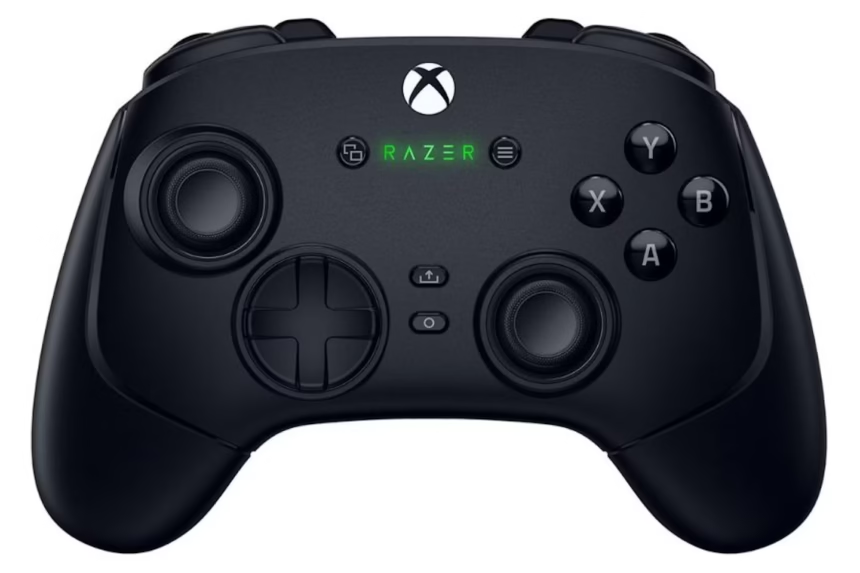
The Xbox Wireless Controller remains the de facto standard for PC game testing due to its native Windows integration and the fact that most PC gamers own one—testing with it means testing what your players experience. The DualSense offers excellent build quality and its touchpad provides additional input options, though it requires Steam’s controller support layer or DS4Windows for full compatibility outside Sony’s ecosystem. For budget-conscious studios needing multiple units, third-party options from 8BitDo deliver surprisingly solid build quality with full XInput support at significantly lower per-unit costs. The 8BitDo Pro 2 in particular offers wired and wireless modes, programmable back buttons, and durability that rivals first-party controllers. Logitech’s F310 serves as an ultra-affordable baseline option—it lacks premium feel but provides reliable XInput reporting for basic testing needs when you need to stretch every dollar across maximum units.
Steam Gaming Controllers for Seamless Integration
Developers targeting Steam as their primary distribution platform gain significant advantages by testing with controllers that integrate directly with Valve’s ecosystem. Steam Input API abstracts controller differences at the platform level, meaning a game configured through Steamworks can automatically support virtually any controller players connect—but only if developers actually test against that abstraction layer. This makes Steam-compatible controllers particularly valuable during development because they let you verify that your game responds correctly to Steam’s input translation rather than relying solely on raw device communication.
The now-discontinued Steam Controller, while no longer manufactured, remains worth acquiring secondhand for its unique touchpad-based input that stress-tests control schemes in ways traditional controllers cannot. If your game handles Steam Controller input gracefully, it likely handles edge cases from other devices well too. More practically, any controller recognized by Steam Input—which includes Xbox, PlayStation, Switch Pro, and most 8BitDo models—becomes a viable testing tool when launched through Steam’s Big Picture mode or the desktop client’s controller configuration. This unified layer means developers can standardize their testing workflow around Steam Input rather than writing separate handling code for each controller type. For indie studios, this reduces both development complexity and the variety of controllers needed on hand. Focus your purchasing on two or three controller families that Steam Input fully supports, configure your game’s recommended bindings through Steamworks, and you’ll cover the vast majority of your player base’s hardware with minimal overhead.
Affordable Gaming Gear: Best Picks for Budget-Conscious Developers
Stretching a limited hardware budget doesn’t mean settling for unreliable equipment—it means knowing where value concentrates in the controller market. The sweet spot for indie developers sits in the $25-45 range per unit, where several controllers deliver 90% of premium functionality at half the cost. The 8BitDo SN30 Pro+ and its successor the Pro 2 consistently rank among the best value propositions available, offering solid analog sticks, responsive d-pads, and construction that survives daily testing abuse. PowerA’s Enhanced Wired Controller for Xbox provides official licensing and XInput compatibility at roughly one-third the price of Microsoft’s first-party offering—the trade-off is a wired-only connection and slightly cheaper plastics, neither of which meaningfully impacts testing utility. EasySMX controllers also deserve consideration in this price bracket, offering wireless connectivity and ergonomic designs with XInput support that make them a practical option for studios equipping multiple testing stations without exceeding budget.
Refurbished controllers represent another powerful avenue for budget optimization. Microsoft’s own refurbishment program sells certified Xbox controllers at meaningful discounts, and retailers like Amazon Renewed offer similar savings with return protection. When purchasing refurbished units, prioritize sellers offering at least a 90-day warranty and inspect analog stick responsiveness immediately upon arrival—drift is the most common issue with pre-owned controllers and renders them useless for precise input testing. Timing purchases around major sales events like Black Friday, Prime Day, or end-of-fiscal-year clearances can yield 30-40% savings even on new units. Some developers also monitor liquidation sites and open-box deals from electronics retailers, where perfectly functional controllers with damaged packaging sell well below MSRP. Building relationships with local game shops can surface trade-in inventory at wholesale-adjacent pricing, particularly for last-generation controllers that still serve testing purposes perfectly well.
Navigating Bulk Orders for Testing Teams
Purchasing controllers in quantity requires a more deliberate approach than simply adding multiple units to a retail cart. The first step is identifying suppliers who offer tiered pricing—many distributors reduce per-unit costs once orders exceed five or ten units. Contact manufacturer business sales departments directly; both Microsoft and 8BitDo maintain B2B channels that offer volume discounts not advertised on consumer-facing pages. Amazon Business accounts unlock quantity pricing and tax-exempt purchasing for registered studios, while distributors like Ingram Micro or D&H serve smaller businesses willing to meet modest minimum order thresholds.
When evaluating wholesale options, factor in warranty coverage and return policies alongside unit price. A slightly higher per-unit cost from a supplier offering hassle-free replacements often saves money compared to cheap bulk deals with no recourse when units arrive defective. Group your purchases strategically—order identical models to simplify your testing matrix and reduce the variables your QA process must account for. Coordinate timing with other indie studios in your network to combine orders and reach higher discount tiers collectively. For logistics, designate one team member to manage controller inventory, track wear patterns, and rotate units before stick drift compromises test results. Label each controller with an ID number and log hours of use so you can predict replacement cycles rather than discovering dead hardware mid-session. This systematic approach transforms controller purchasing from a recurring headache into a predictable, manageable operational cost.
Practical Implementation: Steps to Set Up Your Controller Testing Environment
Start by auditing your actual testing needs. Count the maximum number of simultaneous testers your studio runs, then add one or two spare units to account for charging rotations or hardware failures. A three-person team running local multiplayer tests needs at minimum four controllers of the same model, plus one alternate type for compatibility verification. Next, choose your primary controller family based on your target audience—if you’re shipping on Steam and expect most players to use Xbox-compatible inputs, standardize around that ecosystem. Purchase your primary batch through a bulk channel, then add one DualSense and one Switch Pro Controller for secondary compatibility checks.
Once hardware arrives, configure a dedicated testing station. Install any required drivers or companion apps on a clean machine, register each controller within Steam Input, and create your game’s default binding configuration through Steamworks before distributing builds to testers. Assign each controller a numbered label using adhesive tape and create a simple spreadsheet tracking unit number, purchase date, cumulative hours used, and any noted issues like sticky buttons or early drift signs. Set a rotation schedule—swap controllers between testers weekly to distribute wear evenly and catch degradation early. Finally, establish a replacement threshold: once a controller logs consistent input anomalies during testing, retire it immediately rather than risking false bug reports that waste debugging time. This structured workflow keeps your testing environment reliable and your results trustworthy throughout development.
Smart Controller Investments for Indie Studio Success
Choosing the right gaming controllers as an indie developer comes down to three core principles: affordability without sacrificing reliability, compatibility with your target platforms, and smart purchasing strategies that reduce per-unit costs as you scale. The Xbox Wireless Controller and 8BitDo Pro 2 stand out as primary recommendations for PC and Steam development, offering the native integration and build quality that extended testing demands. Steam Input’s abstraction layer simplifies cross-controller support, letting studios cover broad hardware compatibility with fewer physical devices on hand.
Bulk purchasing through B2B channels, combined with strategic timing around sales events and refurbished inventory, can cut equipment costs by 30-40% compared to retail buying. Pair these savings with a structured testing environment—numbered controllers, usage tracking, rotation schedules, and clear replacement thresholds—and your studio maintains reliable QA infrastructure without recurring budget surprises. Apply these strategies now: audit your current testing needs, identify where you’re overpaying or under-equipped, and build a controller inventory that serves your project through launch and beyond. The investment you make in proper input testing today directly translates to the polished player experience that sets successful indie titles apart.