
Data security comes first in this digital age. If you are dealing with a competitive market and are willing to work long-term, securing your data is a concern. With the advancement of technology, data security for organisations and individuals is becoming a threat.
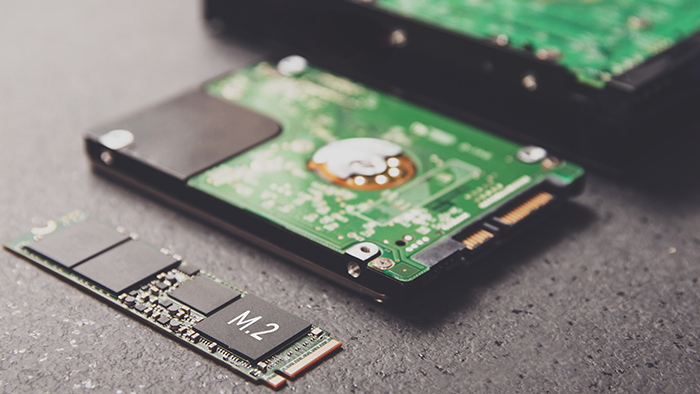
The most traditional way of storing data is through Hard disk drives (HDD). However, the moving parts of HDD have always been a concern for users. As a result, to speed up the process, the first attempt was made in the 1097s with semiconductor technology.
Thus, we are using solid state drives for speed, ease of usage, durability and reliability. However, we need to compromise on storage capacity compared to HDDs. This is why many organisations are adopting a hybrid approach to mix the speed and capacity of hard drives.
The transition from legacy HDDs to modern SSDs was not smooth until we knew the proper utilisation of both. This is why the hybrid approach is the most effective for fulfilling all purposes.
Understanding SSDs
Semiconductor technology helped millions store data internally and externally without moving parts. This revolutionised the storage process, as speed was a concern for many users.
SSD uses NAND flash memory to store your data with speed and efficiency. However, there are two main types of SSDs available –
mSATA III, SATA III, and traditional SSDs
PCIe and NVMe SSDs
While SSDs’ main purpose is to deliver speed, like other storage solutions, they also have some security concerns. Here, we will focus on your security challenges while storing data.
Encryption: Your First Line of Defense
Encryption is the simplified form of security that most technological solutions are using. It does not allow reading format and can only be decrypted with the proper key.
Full-Disk Encryption (FDE)
Software-Based Encryption
Follow these two steps to encrypt your data without worries.
Secure Erase: Protecting Data When You’re Done
When you no longer need an SSD or want to repurpose it, simply deleting files or formatting the drive may not be enough to ensure data is completely gone. To securely erase data from an SSD, use the following methods:
Manufacturer Tools: Many SSD manufacturers provide proprietary tools for secure erasure. These tools are designed to perform a “Secure Erase” command, which resets the drive to its factory state and ensures that all data is irretrievably destroyed.
ATA Secure Erase: This is a built-in command in the SSD’s firmware that can be activated through specialised software tools.
Firmware Updates: Keeping Security Up to Date
Manufacturers periodically release firmware updates for SSDs that address performance improvements and security vulnerabilities.
Try to keep your SSD’s firmware up to date! This will ultimately help you maintain data security with ease.
Physical Security: Protecting the Drive
Physical security is often overlooked but is just as important as digital security. SSDs can be small and easily removed, so consider the following practices:
Secure Storage: When not in use, store SSDs in a secure location. Use lockable drawers or safes to protect against theft or unauthorised access.
Anti-Tamper Measures: For sensitive applications, consider using anti-tamper measures such as tamper-evident seals or enclosures that alert you if someone attempts to open them.
Backup Strategies: Redundancy is Key
Even with the best security practices, data loss can still occur. Implementing a robust backup strategy ensures that you have copies of your important data in case of emergencies.
Regular Backups: Back up your data offline to an external drive. Also, to maintain security, keep that backup encrypted.
Restorations: Periodically test your backup process by restoring data from backups to ensure that they are functioning correctly.
Data Sanitization: Preparing for Disposal
When you are ready to dispose of an SSD, simply deleting files isn’t enough. Proper data sanitisation is essential to prevent data recovery.
Use data sanitisation tools especially made for SSDs. This can be a useful practice for dealing with modern-day constraints. Also, go for the physical destruction of highly sensitive data. Consider shredding, crushing, or incineration your SSDs with highly sensitive data after usage so that it cannot be recovered for unfaithful purposes.
Conclusion
Securing your data is now super easy if you have the right steps taken. When you are not the only one using SSDs for better data management, you must find a way to deal with security threats.
We need to understand the fact that, security concerns will always be there and we can deal with that anytime with the right knowledge and steps.
By adopting these practices, you can leverage the speed and reliability of SSDs while maintaining robust data protection.

