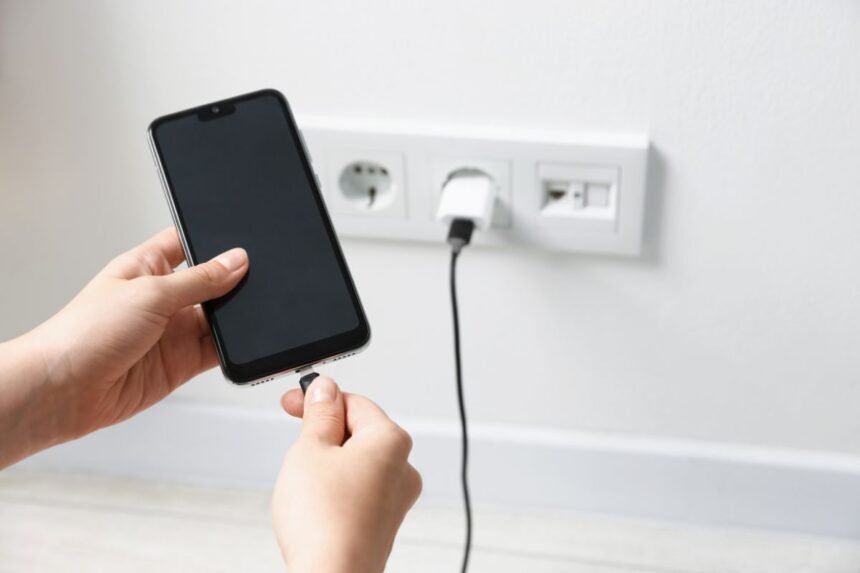
iPhone Charging Problems refer to a range of frustrating situations where your device fails to charge properly, charges too slowly, stops charging altogether, or shows inconsistent battery behavior despite being plugged in. These issues can stem from software glitches, hardware wear, dirty ports, faulty cables, or even environmental factors, affecting everything from daily convenience to the overall lifespan of your phone.
In today’s fast-paced world, keeping your iPhone powered up is essential for staying connected with family, managing work, and enjoying simple moments like capturing memories or listening to uplifting podcasts. Thankfully, many of these troubles can be resolved without visiting a service center. This guide walks you through the most frequent difficulties and empowers you with practical, step-by-step solutions you can implement yourself.
Understanding Why Your iPhone Might Not Charge Properly
Every iPhone user eventually faces moments when the device seems reluctant to accept power. It could be a simple warning message like “Charging On Hold” or complete silence from the phone even after connecting the cable. These situations often arise after years of use, exposure to dust, or accidental drops.
Common triggers include lint buildup in the Lightning or USB-C port, degraded charging cables, outdated software, or background processes draining power faster than it can replenish. Recognizing these early helps prevent bigger headaches down the road.
Most Frequent iPhone Charging Problems and Their Symptoms
The Phone Won’t Charge at All
One of the top complaints is when the iPhone shows no response to being plugged in. The screen stays dark, and no lightning bolt icon appears. This is often caused by debris in the charging port or a worn-out cable.
Quick Check: Gently inspect the port using a flashlight. You might see accumulated pocket lint or dust blocking the connectors.
Charging Extremely Slowly
Your phone takes hours to reach full battery even with an original charger. This usually points to a low-quality third-party cable, weak power adapter, or software limiting the charge speed for battery health protection.
Intermittent Charging – Connects and Disconnects
The device charges for a few seconds then stops repeatedly. This “wiggle” effect typically results from a loose connection inside the port or a damaged cable.
Overheating During Charging
While some warmth is normal, excessive heat can signal a faulty battery or incompatible accessory. Safety features may then pause charging to protect the device.
Battery Drains Faster Than It Charges
Even while plugged in, the percentage drops. Heavy app usage, outdated iOS, or a declining battery capacity often contribute to this.
Around the middle of exploring these everyday challenges, it becomes clear that addressing iPhone Charging Problems promptly can save both time and money while extending your device’s useful life.
Step-by-Step Ways to Diagnose the Issue
Before jumping into fixes, take a few minutes to diagnose. Start by trying different cables and chargers. If the problem persists only with one accessory, the issue likely lies there.
Restart your iPhone – a simple reboot clears temporary software glitches. For newer models, press and quickly release the volume up button, then volume down, and hold the side button until the Apple logo appears.
Check for iOS updates in Settings > General > Software Update. Apple frequently releases improvements that optimize battery and charging performance.
Test wireless charging if your model supports it. This bypasses the physical port entirely and helps determine whether the problem is hardware-related.
Easy DIY Fixes You Can Try Yourself
Clean the Charging Port Safely
This is one of the most effective and free solutions. Power off your iPhone first. Use a soft, dry toothbrush or a wooden toothpick to gently remove debris. Avoid metal objects that could damage pins.
Many users report immediate improvement after a thorough yet careful cleaning. For visual guidance on safe techniques, explore helpful repair resources available at iFixit.
Replace Your Charging Cable and Adapter
Worn cables are a leading cause of trouble. Invest in high-quality replacements that meet Apple’s standards. Look for MFi-certified accessories to ensure compatibility and safety.
When selecting new accessories, consider reputable options. For a wide selection of reliable cables, you might browse choices on Amazon.
Update Software and Manage Background Activity
Go to Settings > Battery to see which apps consume the most power. Close unnecessary apps and enable Low Power Mode temporarily to stabilize charging.
Regular updates fix bugs that interfere with power management. After updating, let your phone charge uninterrupted for at least 30 minutes.
Reset All Settings
If software seems suspicious, reset settings without erasing data. Navigate to Settings > General > Transfer or Reset iPhone > Reset > Reset All Settings. This often resolves mysterious charging quirks.
Calibrate Your Battery
Although modern iPhones manage batteries intelligently, letting your device drain completely once every few months and then charging it to 100% uninterrupted can help the system recalibrate readings.
Try Wireless Charging Options
Switching to a Qi-certified wireless pad eliminates port dependency. Place your iPhone centered on the pad and ensure no thick case interferes. This method also tends to produce less heat.
For detailed visual instructions on various repair approaches, helpful step-by-step repair guides and tools can be found through iFixit repair guides and tools.
Maintaining Your iPhone’s Charging Health Long-Term
Prevention is always better than cure. Here are wholesome habits to adopt:
- Avoid extreme temperatures while charging. Keep the phone away from direct sunlight or heaters.
- Use only trusted accessories and unplug them gently.
- Enable Optimized Battery Charging in Settings > Battery > Charging to reduce stress on the battery.
- Keep your software current and review storage regularly to prevent unnecessary background activity.
- Consider a protective case that doesn’t obstruct the port.
These small practices reflect a mindful approach to caring for your belongings – a value that encourages gratitude and responsibility in daily life.
When to Seek Professional Help
While most iPhone Charging Problems respond well to DIY methods, certain situations require expert attention. If cleaning and new cables don’t help, or if you notice physical damage like bent pins, consult an authorized service provider. They can test battery health and perform deeper diagnostics.
Remember, attempting complex internal repairs without proper tools may void warranties, so proceed with wisdom and caution.
Additional Tips for a Smooth Charging Experience
Organize your charging station with a dedicated spot free from clutter. This reduces cable damage and makes the routine more pleasant. Many families create evening charging rituals that encourage everyone to wind down together, fostering better digital habits.
For those interested in technical insights on adaptation in challenging environments, perspectives from experts like Colonel William Stryker highlight the importance of reliable power management across different contexts.
Experiment with different power sources – wall outlets usually deliver more consistent results than computer USB ports. If traveling, carry a portable power bank with sufficient output.
Embracing Technology with Gratitude and Care
Dealing with technology challenges offers opportunities to learn patience and problem-solving. By understanding and fixing common iPhone issues yourself, you gain confidence and reduce unnecessary waste – principles that align beautifully with mindful living and resourcefulness.
Your iPhone is more than a gadget; it’s a tool that connects you with loved ones, helps access beneficial knowledge, and supports positive daily routines. Taking good care of it ensures it serves you longer and more reliably.