A tool that improves image quality and enlarges photographs can be useful in a variety of circumstances where visual appeal is important. For example, if you need to post photographs online, you may need to upscale the image resolutions so that they are viewable on several devices. In such circumstances, online image enhancer programs can help improve the image’s contrast, reduce noise, and sharpen textures, making it appear more appealing online. VanceAI Image Upscaler is one example of an online utility that employs AI upscaling to improve image quality.
Aside from its usage in online publication, picture upscaling and quality improvement techniques can be beneficial in a variety of other settings. For example, they can be used to improve the resolution and clarity of camera-captured photos.
Given the wide range of uses for such a tool, this article explains how to utilize the AI picture enlarger tool quickly and efficiently.
High-resolution images are needed everywhere.
VanceAI Image Upscaler is extremely beneficial for improving the quality of older or low-resolution photographs. These photos might be hazy or distorted, making them challenging to utilize in a variety of applications. AI picture upscaling uses machine learning algorithms to assess and improve the image’s features and edges, filling in missing information caused by poor resolution or image compression.
Assume you have an outdated image that you want to utilize in a marketing campaign but it is too fuzzy and low-resolution to be useful. In that instance, the picture enlarger may be used to expand the image size while maintaining its quality, making it more appropriate for use in a marketing campaign. The technology can evaluate an image, find missing elements, and replace them with more precise and realistic ones.
Image upscaling can also help you increase the size of photographs without losing quality or producing distortions. Traditional picture upscaling methods can frequently produce distorted or fuzzy images that are of poor quality and useless in a variety of applications. Not to mention that traditional methods might be challenging for novices. However, you may simply boost image quality online with AI image upscaler online.
VanceAI Tools Enhance Your Photos’ Definition and Resolution
While VanceAI offers over 18 picture editing and enhancement tools on its platform, a handful are specifically focused for image quality improvement. Two of them are called VanceAI Image Upscaler and VanceAI Image Enhancer. The main distinction between the two is that Photo Enhancer may increase image quality without having to upscale the image. However, both technologies significantly reduce picture noise and improve shot sharpness. Users may also utilize VanceAI PC to increase image resolution by 40 times the original, as opposed to 8 times online.
One of the main advantages of both VanceAI Image Upscaler and VanceAI Image Enhancer is that they provide customers four distinct image improvement options: Standard, Anime, Art, and Text. This feature distinguishes the VanceAI Image Upscaler tools from other comparable image processing solutions by allowing customers to choose the precise style of picture improvement that is most suited to their needs.
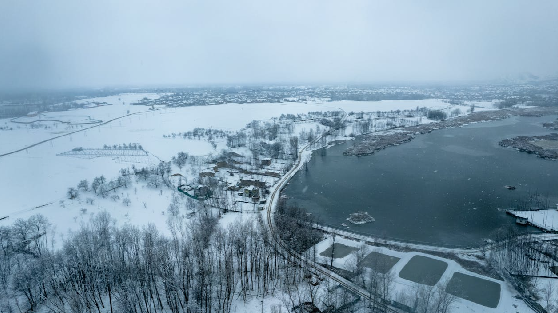
The picture enlarger tool allows you to easily upscale an image online. Furthermore, the outcomes are often good in quality. The After image seems considerably sharper and cleaner than the Before image, which is mostly due to the elimination of image noise from the preceding image. Aside from that, the photo’s depth has improved somewhat.
How to Use VanceAI Tools to Enhance Images
To enhance photographs online, follow the steps in the VanceAI Image Upscaler and AI Image Enhancer instructions below.
Step 1: Click on VanceAI Image Upscaler to be led to the tool’s website. To start, click on Upload Image.
Step 2: You will see the VanceAI Enhancer Workspace. You can easily access and control additional VanceAI Image Upscaler tools from here. Upload a picture, utilize the options on the right, and then click Start to Process to expand it online.
Step 3: The finished image will display on the screen after a few seconds. After that, select the Download Image option to save the image.
Using VanceAI Image Enhancer Online.
Step 1: Follow the link to photo quality enhancer online, and once on the page, click Upload Image to continue.
Step 2: Once within VanceAI Workspace, upload the image, apply the appropriate characteristics, and click Start to Process to begin the photo improvement.
Step 3: When the result image appears, tap the Download Image option to download it to your smartphone.
Final Verdict
Using VanceAI or other AI-powered picture upscaling technologies can help organizations and individuals produce higher-quality photographs without the need for costly human editing. This program allows you to expand your image without the need for sophisticated editing methods. The final photographs will be of excellent quality, increasing the visual attractiveness of any project or campaign. VanceAI’s user-friendly interface, extensive functionality, and cost-saving benefits make it an excellent alternative for individuals wishing to improve their photographs with minimum work and time.
In addition to its user-friendly interface, VanceAI Image Upscaler provides free picture credits to customers, allowing them to test the tool before committing to a premium membership. Although the complimentary picture credits are limited, they are sufficient to give consumers an idea of the platform’s potential. Not to mention features like VanceAI JA, which allows you to use the platform in Japanese.
Additional features from VanceAI
In addition to its own products, VanceAI provides customers with alternatives like photoenhancer.ai and image-upscaler.com. However, it is important to note that while these alternative tools are free, they may lack the complex capabilities and user-friendly design of VanceAI’s original products. You may simply AI upscale an image using the URL provided.
VanceAI is an excellent platform for anyone interested in AI-powered picture enlargement. One advantage of utilizing VanceAI is the ability to combine its capabilities to do extensive picture processing. Users, for example, can use both the BGremover and VanceAI Image Upscaler tools simultaneously to remove an image’s background while also upscaling it.