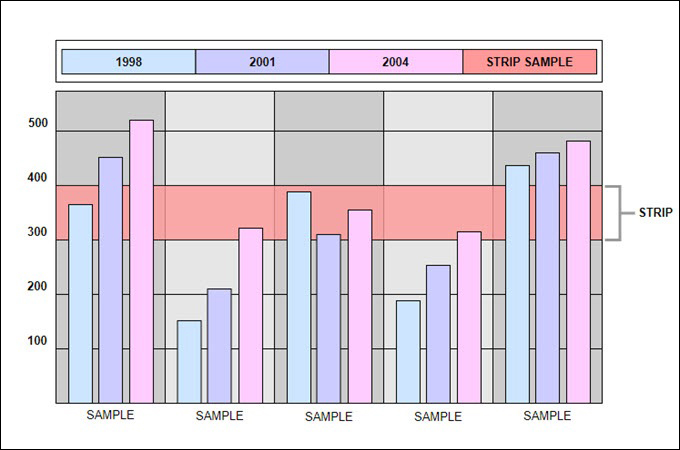
A strip chart is a graph that records one or more measurements against time as a continuous line. The newest reading appears at one edge and older readings scroll off the other, so you always see how a value has changed over the last minutes, hours or days. Paper chart recorders made the first strip charts. Today the same view runs on screens in plant control rooms, hospital monitors and lab software.
What a strip chart shows
A strip chart plots time on one axis and the measured value on the other. On a paper recorder the paper moves at a set speed under a pen, so time runs along the length of the strip. On a screen, time usually runs left to right and the display keeps a rolling window, for example the last ten minutes.
Because it is a continuous record, a strip chart answers questions a single reading cannot: is the value rising, falling or steady, and did something change at a specific moment?

How a strip chart works
- Paper recorders: a motor feeds paper at a fixed speed while a pen or printhead moves across it in proportion to the input signal, such as temperature or voltage.
- Digital recorders and software: a sensor is sampled at regular intervals, each sample is time-stamped, and the program draws the newest points while discarding or archiving the oldest.
- Multiple traces: several signals can share one chart, each with its own colour or pen, so you can compare them over the same period.
Where strip charts are used
- Industrial process control: temperature, pressure, flow and level trends in manufacturing, power and water treatment.
- Healthcare: an ECG rhythm strip is a strip chart of the heart’s electrical activity over time.
- Earth science: seismographs record ground motion as a continuous trace.
- Laboratories and field work: data loggers record readings such as temperature or humidity during an experiment or survey.
- Environmental monitoring: air, water and weather stations trend readings to spot changes and compare against limits.
- Testing and engineering: test benches show signals as they happen so engineers can see how a device responds.
How to read a strip chart step by step
- Check the axes and units. Confirm what is measured and in which unit before judging any value.
- Check the time scale. On paper, find the chart speed. On a screen, note the visible time window. The same signal looks calm on a long window and busy on a short one.
- Identify each trace. Use the legend or pen colours so you do not mix up signals.
- Look for reference lines. Setpoints, alarm limits and target ranges show whether a value is acceptable.
- Read the shape. Note whether the line is flat, trending, drifting, cycling or spiking.
- Match changes to time. Find the time of a change and compare it with events such as a valve opening, a shift change or a power cut.
- Compare traces. If two signals move together, one may be driving the other.
Common patterns and what they usually mean
| Pattern on the chart | What it often indicates |
|---|---|
| Steady line near the target | A stable process. A perfectly flat line can also mean a stuck sensor, so check it against another reading. |
| Sudden spike or dip | A real disturbance, electrical noise or a short sensor glitch. |
| Slow rise or fall over hours | Drift from a changing environment, wear or fouling, or a sensor going out of calibration. |
| Regular up and down cycles | Oscillation, often from a control loop that is poorly tuned or a machine that switches on and off. |
| Line stuck at the top or bottom of the scale | The signal is out of range or the sensor or wiring has failed. |
Strip chart vs line chart
A strip chart is a line chart built for continuous, time-based data. The difference is in how it is used.
| Strip chart | Standard line chart | |
|---|---|---|
| Data | Live or recorded readings over time | Any series, often summarised data |
| Display | Scrolls or rolls as new data arrives | Usually fixed once drawn |
| Typical use | Monitoring and troubleshooting | Reporting and analysis |
Advantages and limitations
Advantages: it shows history and trend at a glance, makes sudden changes easy to spot, allows several signals to be compared on one time axis, and gives a permanent record on paper or in a file.
Limitations: a short time window hides slow trends, many traces on one chart become hard to read, readings are only as good as the sensor and its calibration, and a chart shows what happened but not why.
Tips for a readable strip chart
- Pick a time window that fits the process. Use minutes for fast changes and days for slow ones.
- Set the vertical scale so normal values sit in the middle, not pressed against an edge.
- Limit each chart to a few related signals and give each a distinct colour.
- Draw setpoint and alarm lines so deviations stand out.
- Label units and keep time stamps visible.
Frequently asked questions
What is a strip chart recorder?
It is an instrument that draws a signal on a moving strip of paper over time. Many have been replaced by digital recorders that show and store the same trace electronically.
More in Blog
Is a strip chart the same as a trend chart?
The ideas are very close. Industrial software often calls a rolling time-based display a trend or a strip chart, and both show a measured value changing over time.
How fast does the paper move on a strip chart recorder?
It depends on the recorder and the setting. The speed is adjustable, and it determines how much time fits on one length of paper, so always read the chart speed before interpreting a trace.
Are strip charts still used today?
Yes. The paper versions are less common, but the same rolling time-series view is standard in control systems, medical monitoring and data-logging software.
Summary
A strip chart turns a stream of measurements into a continuous line you can read at a glance. Check the units and time scale first, look at the reference lines, then read the shape of each trace and match changes to events. Used this way, a strip chart is a fast way to monitor a process and find out when and where something changed.