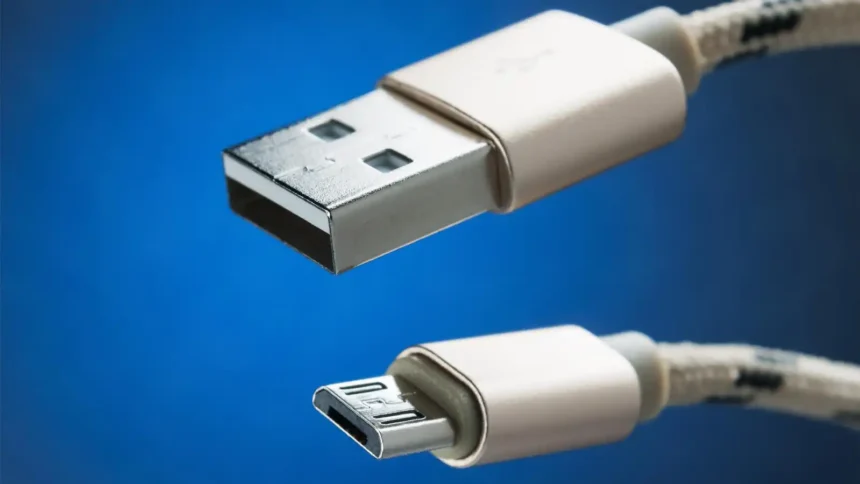
Micro USB chargers have become a staple in our tech-driven lives. They power everything from smartphones to tablets, making them essential tools for staying connected. But while they are ubiquitous and convenient, using them incorrectly can lead to frustrating or even dangerous situations. In this guide, we’ll explore how to safely charge your devices with a micro USB charger so you not only keep your gadgets powered up but also ensure their longevity and safety. Let’s dive into the world of micro USB charging!
Understanding the Basics of Charging
Charging your devices is more than just plugging them in. It involves a few fundamental concepts that every user should grasp.
First, let’s talk about voltage and current. Voltage is the force that pushes electrical energy through the wire. Current, measured in amps, represents how much electricity flows. Together, they determine how fast your device charges.
Next up is power, calculated by multiplying voltage and current. A higher power output means faster charging times for compatible devices.
Most micro USB chargers deliver five volts of power with varying current ratings—typically 1A or 2A. Devices will draw only what they need to charge safely without overloading themselves.
Remember that battery health matters too. Regularly charging from low levels can stress batteries over time while maintaining them at optimal levels benefits longevity significantly.
The Importance of Using a Safe Charger
Using a safe charger is crucial for the longevity of your devices. A quality micro USB charger can prevent potential damage caused by electrical surges or overheating.
Cheap, counterfeit chargers often lack essential safety features. These subpar products can lead to battery wear and even pose fire hazards.
A reliable micro USB charger ensures that your gadgets receive the appropriate voltage and current. This reduces the risk of short circuits or other malfunctions while charging.
Safety certifications are key indicators of a charger’s reliability. Look for UL, CE, or FCC marks to ensure you’re making a sound choice.
In addition to protecting your device, using a safe charger promotes overall efficiency. It minimizes energy waste and enhances charging speed without compromising safety standards.
Tips for Choosing a Quality Micro USB Charger
When selecting a micro USB charger, quality should be your top priority. Look for chargers from reputable brands known for their reliability and safety standards.
Check the specifications carefully. A charger that offers at least 2A output is ideal for faster charging without risking damage to your device.
Pay attention to build quality as well. Opt for models with reinforced cables and sturdy connectors; these are less likely to fray or break over time.
Don’t forget about compatibility either! Ensure that the charger matches your device’s requirements and supports quick charging if needed.
Always read user reviews before making a purchase. Feedback from other customers can provide valuable insights into performance and durability you might not find elsewhere.
Step-by-Step Guide on How to Safely Charge Your Devices
Start by inspecting your micro USB charger. Look for any signs of wear or damage. A frayed cable can lead to short circuits.
Next, plug the charger into a wall outlet that is grounded and free from moisture. Avoid using extension cords, as they can cause overheating.
Insert the micro USB connector gently into your device’s port. Ensure it fits snugly without forcing it in.
Monitor your device while charging. If you notice any excessive heat, disconnect immediately.
Charge in well-ventilated areas to prevent overheating. Keeping devices cool helps maintain battery health over time.
Be mindful of charging duration too; avoid leaving devices plugged in overnight unless they have smart charging features designed for that purpose.
Always use reputable power sources and cables to enhance safety during the charging process.
Common Mistakes to Avoid When Charging with a Micro USB Charger
One common mistake is using a cheap or counterfeit micro USB charger. These can damage your device and pose safety risks.
Another pitfall is neglecting cable maintenance. A frayed or damaged cable can lead to poor charging performance and even electrical hazards.
Some users leave their devices plugged in overnight, which might seem convenient but can overheat the battery. It’s best to disconnect once fully charged.
Additionally, placing devices on soft surfaces while charging restricts airflow and raises temperatures. Always charge on a hard, flat surface for optimal heat dissipation.
Don’t ignore compatibility issues. Using an incompatible charger may not provide the correct voltage or current needed for your device, leading to inefficient charging or potential damage.
Conclusion: Keep Your Devices Safe and Charged with Micro USB Chargers
When it comes to keeping your devices powered up, using a micro USB charger can be both convenient and efficient. Understanding how to charge safely is essential for preserving the lifespan of your gadgets. By selecting quality chargers, avoiding common pitfalls, and following best practices during charging sessions, you ensure that your devices remain in top shape.
Prioritizing safety while charging not only protects your equipment but also enhances your overall experience with technology. With these insights in mind, you can confidently navigate the world of charging and keep all your devices safe and charged.