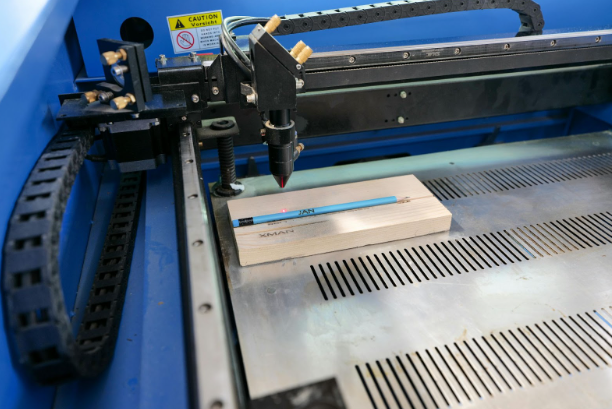
Laser engraving has become a go-to solution for creators, crafters, and professionals who want to add precision and personalization to their projects. Whether you’re engraving wood, acrylic, metal, or glass, having the right laser engraving equipment can make all the difference in quality, efficiency, and creativity.
In this guide, we are going to cover tools and accessories every laser engraving hobbyist needs, including the laser engraving machine itself, to other related gear. We’ll also highlight how advanced machines like the Creality Falcon series including Falcon CR, Falcon2, Falcon A1, and Falcon 2 Pro fit into a modern creator’s toolkit.
- The Core: Laser Engraving Machine
The laser engraving machine is core to any such setup. This is the primary tool that determines your engraving precision, speed, and range of materials you can work with.
There are different types of laser engravers:
- CO₂ Laser Engravers: Ideal for non-metals like wood, acrylic, glass, and leather.
- Fiber Laser Engravers: Best for marking and engraving metals and certain plastics.
- Diode Laser Engravers: Compact, energy-efficient, and versatile for beginners and hobbyists.
When choosing your machine, consider:
- Laser power (measured in watts): Determines cutting/engraving depth and speed.
- Work area size: Defines the maximum project dimensions.
- Software compatibility: Ensures smooth design-to-engrave workflow.
- Computer and Design Software
Laser engraving starts with a design. You’ll need a computer that can run compatible software such as:
- LightBurn: Popular for laser control and vector editing.
- CorelDRAW or Adobe Illustrator: Great for creating detailed vector artwork.
- Inkscape: Free, open-source option for vector design.
Your computer should have a decent processor, enough RAM, and USB/port connectivity for the engraver.
- Ventilation and Air Filtration
Engraving produces smoke, fumes, and sometimes fine dust. Ventilation isn’t a nice to have – it’s a must have for the sake of your health and your machine’s wellbeing.
Options include:
- External exhaust fans to vent smoke outside.
- Indoors, activated carbon-laden fume extractors.
- Built-in air assist to reduce burn marks and improve cut quality.
- Materials for Engraving
The variety of materials you use will expand your creative possibilities. Common choices include:
- Wood: Perfect for signs, ornaments, and decor.
- Acrylic: Great for awards, signage, and light-up designs.
- Leather: Ideal for wallets, belts, and custom accessories.
- Metal: Suitable for plaques, tools, and jewelry (requires the right type of laser).
- Glass: Used for etching mugs, bottles, and glassware.
Keeping a range of test pieces on hand helps fine-tune settings for different projects.
- Measuring and Alignment Tools
Accurate placement ensures a professional finish. Essential tools include:
- Rulers and calipers: For precise measurements.
- Positioning lasers: Some machines include red-dot pointers for alignment.
- Grid cutting mats: Help with manual alignment before engraving.
- Protective Gear
Laser engraving involves high-intensity beams that can harm your eyes. Always use:
- Laser safety glasses rated for your machine’s wavelength.
- Protective gloves when handling certain materials or cleaning.
Safety should always be a priority, especially if you work in a shared space.
- Maintenance Tools
Keeping your machine in top shape ensures consistent performance.
- Lens cleaning kits: Remove dust and residue for clear laser output.
- Lubricants: Keep moving parts smooth.
- Replacement parts: Belts, mirrors, and nozzles should be on standby.
- The Role of Creality Falcon in a Creator’s Toolkit
While there are many machines on the market, the Creality Falcon series has earned attention for its blend of power, precision, and user-friendly design.
Key models in the flagship series include:
- Falcon CR: A good choice in entry level till mid-level creators who seek reliability.
- Falcon2: Known for improved engraving speed and better material compatibility.
- Falcon A1: Compact, versatile, and perfect for hobbyists or small studios.
- Falcon 2 Pro: Professional-grade performance for advanced users and businesses.
What sets the Falcon series apart is its balance between cutting-edge technology and intuitive controls, making it accessible for both beginners and professionals. Whether engraving intricate jewelry or large-scale signage, these machines adapt to your creative vision.
- Storage and Workspace Setup
A space that is devoted and orderly is safer, more productive.
- Sturdy workbench: Reduces vibrations for cleaner engraving.
- Tool organizers: Keep accessories, materials, and safety gear within reach.
- Proper lighting: Helps with alignment and inspection of finished work.
- Backup Power and Surge Protection
Laser engravers are sensitive to power fluctuations. A surge protector or uninterruptible power supply (UPS) can prevent damage and avoid ruined projects due to sudden outages.
Final Thoughts
Building the perfect laser engraving equipment setup is about more than just buying a machine. It’s about creating a balanced workspace that combines the right hardware, safety measures, materials, and maintenance tools.
For creators looking for reliable performance and versatility, the Creality Falcon series offers a strong foundation. Use the Falcon CR, Falcon2, Falcon A1, and Falcon 2 Pro to do whatever you like and add them to the suitable accessories to not have any limits to your creativity. With the proper tools at your side, your ideas can transition from concept to creation with precision and artistry.
FAQs
- Do I need a high-powered laser for all engraving projects?
No. The required power depends on the materials you’re working with. For example, wood and acrylic can be engraved with lower power, while metals may require more powerful machines. - Can I use my laser engraver indoors?
Yes, but proper ventilation or a fume extractor is essential to remove smoke and harmful particles. - How often should I clean my laser lens?
It depends on usage, but for regular work, cleaning once every few sessions ensures optimal performance. - Is the Creality Falcon suitable for beginners?
Yes. Models like the Falcon A1 are designed with user-friendly features, making them accessible for newcomers while still offering advanced capabilities for professionals. - How many years does a laser engraver last?
With proper maintenance, a quality machine can last many years, often over a decade, depending on usage.