Capturing the perfect shot is just the beginning when working with images. If you’ve ever printed a photograph or scaled it up for display, you’ve likely encountered the term “blow-up ratio.” But what does it mean? How does it impact image quality and print sizes? And how can you optimize it to get crystal-clear results?
This blog will demystify the concept of the blow-up ratio, explain its effects on image quality, and provide actionable tips to maintain the sharpness of your images while scaling them up.
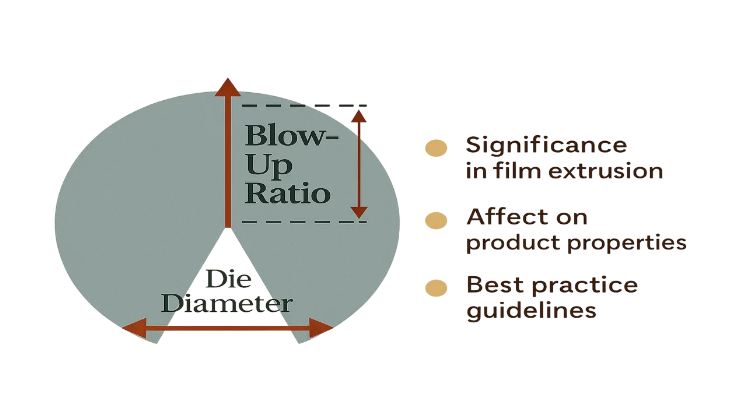
What Is Blow-Up Ratio
The blow-up ratio refers to the degree by which you enlarge an image beyond its original resolution. For example, doubling the size of a photo means you’re applying a 2x blow-up ratio. While resizing is simple in concept, its impact on image quality is anything but.
When an image is blown up, the pixels that form the picture are stretched, which can lead to pixelation and a loss of detail if not done correctly. Understanding this ratio is crucial for anyone in fields like photography, design, or printing, where accuracy and clarity matter.
How Blow-Up Ratio Impacts Image Quality and Print Sizes
Blow-up ratio plays a prominent role in determining how an image appears when displayed or printed. Here’s a closer look at its impact:
Image Quality
When you enlarge an image, the pixels must fill a larger area, potentially leading to visible pixelation. For example:
- A low-resolution image expanded 3x will likely look blurry and unclear on a larger scale.
- High-resolution images handle larger blow-up ratios better, as they have more pixels to begin with.
Poor handling of this ratio often results in jagged edges, blurry textures, or a stretched appearance. This is why understanding the ratio can make a dramatic difference in the outcome.
Print Sizes
When preparing images for printing, blow-up ratio helps determine the highest possible size you can print while maintaining good quality. Print resolution is commonly measured in DPI (dots per inch). A standard guideline is to aim for 300 DPI for high-quality prints. For example:
- If an image is 3000 x 2000 pixels, it can produce a high-quality print of 10 x 6.66 inches at 300 DPI.
- However, increasing the size to 20 x 13.33 inches (a 2x blow-up) will reduce the resolution to 150 DPI, which may visibly affect sharpness and detail.
Matching your blow-up ratio to your specific needs ensures professional-looking prints and avoids disappointment with pixelation or fuzziness.
How to Calculate Optimal Blow-Up Ratio for Different Scenarios
Finding the optimal blow-up ratio involves striking a balance between image size and quality. Here’s how you can calculate the perfect ratio for various scenarios:
- Determine the Pixel Dimensions of Your Image
Start by taking note of your image’s resolution. This information is usually available in your image editing software or file properties. For example, a photo with dimensions of 4000 x 3000 pixels equals 12 megapixels (4000 x 3000 = 12,000,000 pixels).
- Decide on the Desired Print Size
Consider the dimensions of the final output, such as a poster sized at 16 x 24 inches.
- Match the DPI to Your Print Needs
Think about the purpose of the print. For gallery-quality prints, 300 DPI is ideal. For larger posters viewed from a distance, 150 DPI may suffice.
- Calculate the Maximum Possible Enlargement
Divide your image dimensions by the desired DPI to find the maximum print size without significantly compromising quality:
“`
Maximum print width = Image width in pixels / Desired DPI
Maximum print height = Image height in pixels / Desired DPI
“`
Example Calculation:
A 4000 x 3000 pixel image printed at 300 DPI:
- Maximum width = 4000 ÷ 300 = 13.33 inches
- Maximum height = 3000 ÷ 300 = 10 inches
For larger sizes, you’ll need to decide whether reduced DPI is acceptable or use techniques to enhance the image.
Tips for Maintaining Image Quality When Increasing Blow-Up Ratio
If you need to scale an image beyond its natural limits, here are some expert strategies to maintain its quality:
1. Start With High-Resolution Images
The higher the resolution of the original file, the more forgiving your blow-up ratio can be. Always shoot in the highest resolution your camera offers and save your files in lossless formats like TIFF or RAW.
2. Use Specialized Software
Image-editing software like Adobe Photoshop or tools like Topaz Gigapixel AI can enlarge images intelligently, filling in missing details using advanced algorithms. This reduces visible quality loss compared to basic resizing.
3. Stick to Incremental Enlargement
Instead of enlarging an image all at once, do it gradually in smaller steps (e.g., increase by 10% at a time). This sometimes helps preserve edge detail and texture.
4. Apply Proper Sharpening and Noise Reduction
After enlarging an image, you may notice softness or added grain. Use sharpening tools in software like Lightroom or Photoshop to restore some clarity. A light noise reduction pass can also help smooth out imperfections.
5. Ensure Proper Viewing Distance
The larger an image is, the farther away it is typically viewed. This decreases the perception of pixelation or imperfections, making slightly lower resolutions acceptable for posters, banners, or billboards.
Key Takeaways and Resources for Perfect Blow-Up Results
Understanding and managing the blow-up ratio is fundamental to achieving high-quality results when enlarging images or preparing prints. Here are the key points to remember:
- Blow-up ratio determines how much an image can be enlarged while maintaining quality.
- Image resolution (pixel dimensions) and DPI are critical factors for calculating the optimal print size.
- For professional-quality prints, aim for at least 300 DPI, and adjust based on the viewing distance.
- Use tools and techniques like AI-powered software, gradual resizing, and sharpening to improve results when enlarging beyond the optimal ratio.
Looking for more ways to enhance your images? Explore tools like Adobe Photoshop, Lightroom, and Topaz Gigapixel AI, which offer features to scale your photos with less quality loss.
Now it’s your turn. Before enlarging your next photo, apply the tips and calculations covered here to create stunning, professional-quality results.