Introduction to Remote Desktop Management Software
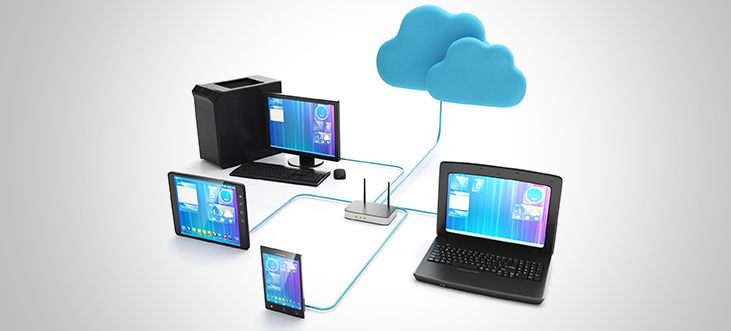
Remote desktop management software is a complete solution of tools and technologies that enable the employee to work on the organizational resources from any location that is not the organizational workplace. This solution entails VPNs, remote desktop applications, and cloud services. Its primary objective is to provide a smooth connection, allowing the employees to log into the organization’s network, share files, work together, and complete their tasks, irrespective of the location. These solutions also improve flexibility in working arrangements, decrease costs of operations, and ensure data confidentiality and protection.
Remote desktop management software is important in the current global working environment. It allows businesses to secure remote access to desktops, applications and data, thus allowing IT admins to monitor and manage desktops without manual intervention. The software is particularly useful in organizations with either fully or partially distributed employees, as it allows IT managers to oversee the devices’ performance, control them, and troubleshoot issues from a single interface.
Through fast issue resolution, constant device maintenance, and resource allocation, remote desktop management software cuts down on lost time. It also enhances security by implementing secure access control and encryption that makes it difficult for unauthorized persons to access sensitive information.
Further, this software is scalable enabling businesses to handle more devices in the future, and it has reporting and analytics features to help in decision-making. To sum up, remote desktop management software is a crucial tool for ensuring security, productivity, and adaptability in the modern world.
Top 5 Remote Desktop Management Software for Small Businesses
1. Scalefusion
Scalefusion provides a one-stop UEM solution for SMBs and large enterprises to manage and secure their device fleet. It offers robust desktop management software with remote access and remote management, which works efficiently for laptops as well. Whether you want to push updates to 15 desktops or 500, Scalefusion can do it from a single platform and in a few steps. Its proactive remote desktop software allows you to automate periodic maintenance tasks and gives a bird’s eye view of all desktops. It provides multiple layers of security and addresses desktop vulnerabilities with precision and speed.
Key Features
- Remote Cast and Control
- VoIP Calling
- Remote Troubleshooting
- Remote Commands
- ITSM integrations like JIRA & FreshService
- Create context-aware support tickets.
- Advances Reporting and Logs
- Automated Security and Compliance Alerts
- Bulk provisioning of Multiple Devices
- Automated Patch Management
- Support across Windows, macOS, and iOS platforms.
- Peripheral Control
Pros
- Multiple enrollment methods, including Zero-touch.
- Offers context-aware remote troubleshooting.
- Allows remote session recording and screenshots.
- Push and delete files remotely.
- Offers remote desktop management without user intervention.
- Cost-effective software.
Cons
- Offers Web-based dashboard.
- Desktop management comes as a bundled feature.
Pricing
- Plans start at $2 per device per month (billed annually).
- 14-day free trial is available.
2. Splashtop
Splashtop is a remote desktop solution known for its user-friendly interface and security features. It can manage Android, Mac, Windows, and iOS devices, Perfect for individuals and businesses. Splashtop delivers tailored plans, including Splashtop Business Access and Splashtop SOS, to securely access and manage computers remotely. New users can get a seven-day free trial to explore its features, although subscriptions are billed yearly. Splashtop’s ease of use makes it an ideal choice for those with limited technical knowledge.
Key Features
- Secure Managed Access
- Multi-Monitor Support
- File Transfer
- Remote Print
- Chat (in-session and outside-session)
- Session recording
- Remote Reboot
Pros
- Fast and reliable connection
- User-friendly setup
- Dual screen support
- Multiplatform support for Windows, Mac, and Linux devices.
Cons
- Limited simultaneous connections
- Disconnect issues
- Confusing software options
- Poor customer support
Pricing
- The basic plan starts from $3/ month billed Annually at $36.
- Offers free trial.
3. Dameware Remote Everywhere
Dameware offers a powerful remote support solution tailored for small businesses seeking enterprise-grade features at an affordable price. It enables secure, straightforward remote control without the need for a virtual private network, establishing over-the-internet connections both within and beyond company firewalls. This allows technicians to effortlessly assist end users worldwide, providing a seamless remote support experience.
Key Features
- Remote control and support
- Screenshot and screen recording
- Reports
- Live chat and video conferencing
- Multi-monitor display
Pros
- Easy to use software.
- Fast issue resolution
- High-resolution screen mirroring
Cons
- Crowded messaging flow
- Limited concurrent sessions.
- Prevents a single user from accessing both consoles at the same time.
Pricing
- Pricing is available upon request.
4. Remote PC
Remote PC by IDrive is a popular remote computer access application suitable for small businesses in particular those who only want access to just a few computers at affordable price plans. It uses cloud technology to deliver class-leading remote access solutions through an intuitive web application through both native desktop and mobile apps.
Key Features
- Always-ON Remote Access
- Attended Access
- Remote File Access
- File Transfer
- Multi-monitor Support
- Remote Printing
- Remote Reboot
- Multi-user Access
- Chat
- Whiteboard
- Remote Screen recording
- Logs and Reports
Pros
- Easy user interface
- Cost-effective
- Offers drag-and-drop file transfer
- Quick setup
Cons
- No in-built audio and video chat
- Access to PC through websites causes issues.
Pricing
- Enterprise plan starts at $59.95 per month for unlimited users and access to 100 computers.
- 7-day free trial plan is available.
5. ManageEngine Remote Access Plus
Remote Access Plus is a specialized remote desktop software that offers affordable and user-friendly solutions tailored for small businesses. With features like remote support and unattended access, it effectively addresses a broad spectrum of issues, providing accessible and uncomplicated solutions for enhanced productivity.
Key Features
- File Transfer
- Multi-Monitor support
- Integrated Chat
- Remote Session Recording
- Cross-platform support for Windows, Mac, and Linux.
Pros
- Easy to use interface.
- Supports both cloud as well as on-premise features.
- Supports unattended remote access.
- Affordable pricing.
Cons
- Has a greater learning curve.
- Agent installation requires additional code.
- The system can experience lag at times, affecting performance.
Pricing
- Pricing upon request.
- 30-day free trial is available.
Choosing the right Remote Desktop Management Software
As an organization expands, and managing IT-related assets gets more complicated, selecting the appropriate remote desktop management software is critical. It becomes impossible, given the size of the operation, to oversee desktops, hardware, and software manually. A remote desktop management solution becomes paramount to manage and control your IT environment remotely, from a single platform. You want to select remote desktop management software that allows IT managers to manage, secure, and upgrade desktops more efficiently, saving your organization both time and money.
Among the various RDM software available, it is essential to evaluate the unique needs of your organization and choose a remote desktop solution that is cost-effective and feature-rich. You also want to ensure you approve of the software application, so look for offerings with user-friendly software and solid free trial experiences, as your business’s technical needs and requirements are unique to your situation.